Wallet Setup
How to Setup Your Rabby Wallet
This guide walks you through installing Rabby Wallet and adding the NVNM Chain network.
Note
Rabby is an open-source EVM wallet built for DeFi users. It includes built-in transaction simulation and security checks, making it a strong alternative to MetaMask for EVM chains.
Installation
Install Rabby
-
Visit https://rabby.io.
-
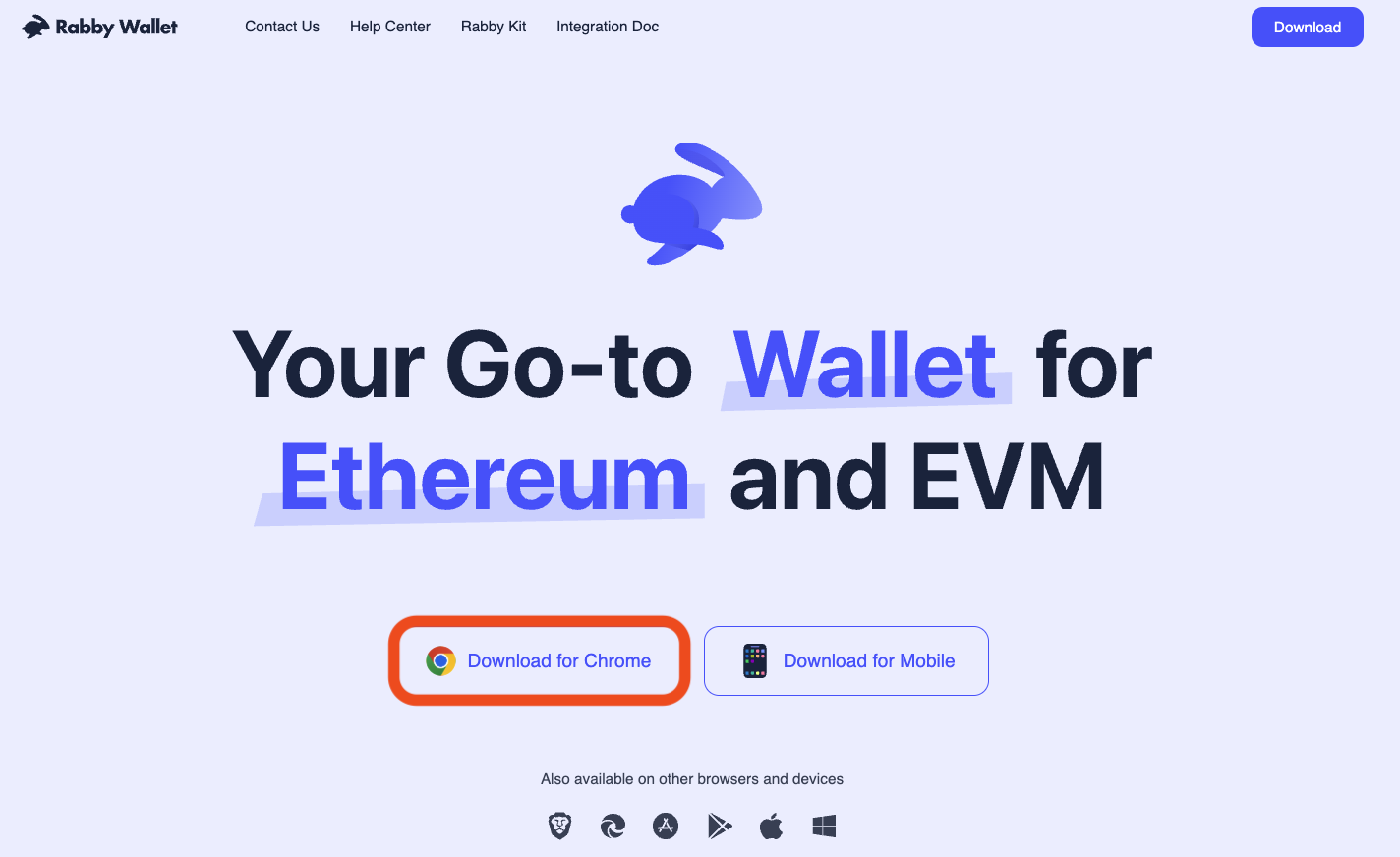
Hit the download button for Chrome. You will be directed to the Chrome Web Store.
-
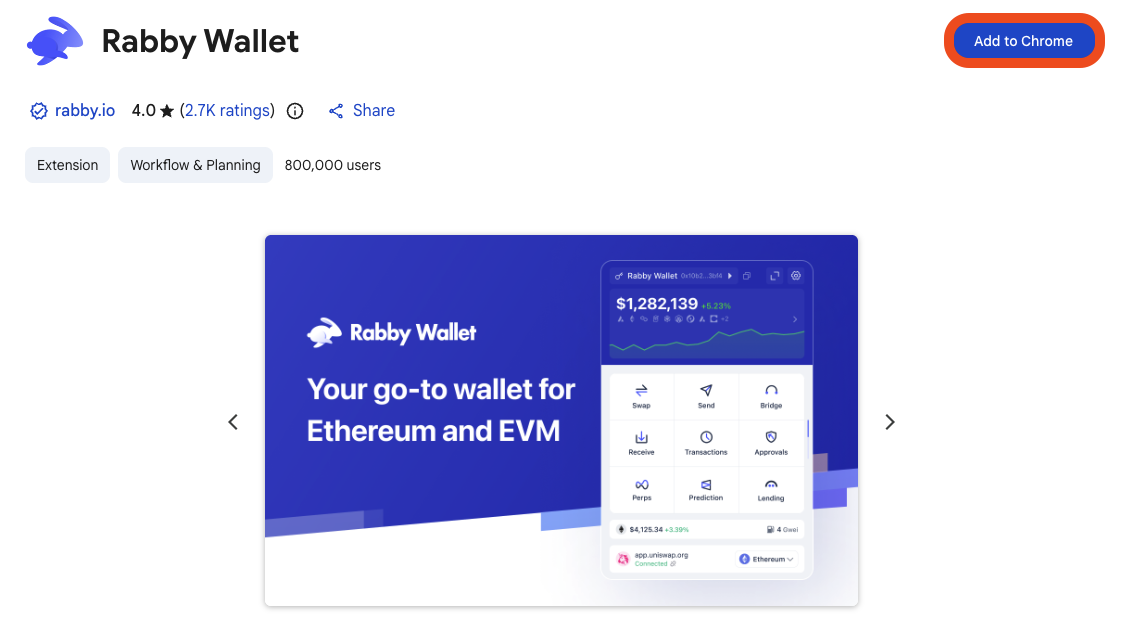
Click Add to Chrome.
-
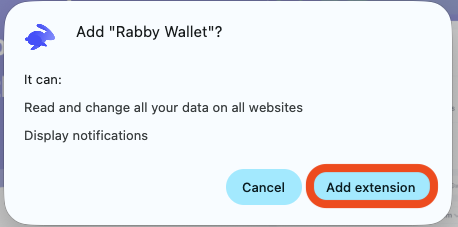
On the pop up, click Add extension.
-
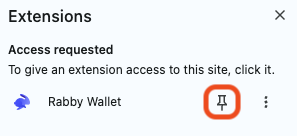
After adding the Rabby extension, Rabby will automatically open. You can also make sure it's easily accessible in your toolbar by clicking the jigsaw icon in the top-right of the screen, and hitting the pin icon.
Warning
Only install Rabby from the official site at rabby.io or directly from the Chrome Web Store. Avoid third-party download links.
Create or import a wallet
Open the Rabby extension and choose one of the following:
- Create a new address — Follow the prompts to generate a new wallet and back up your seed phrase.
- Import an existing wallet — Enter your 12- or 24-word seed phrase, or import via private key or hardware wallet.
Warning
Never share your seed phrase or private key with anyone.
Add NVNM Testnet to Rabby
Open Settings
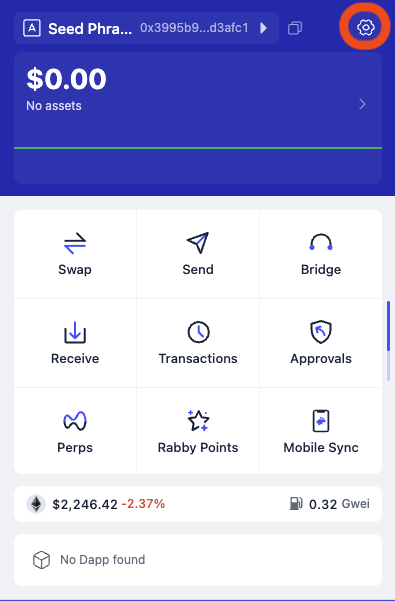
Click the settings gear icon in the top-right of the Rabby extension.
Add Custom Network
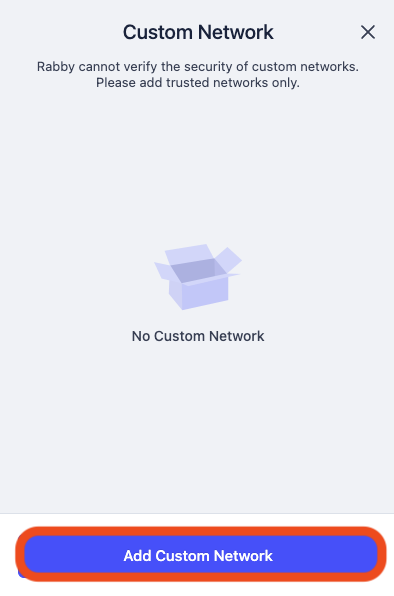
In Settings, click Add Custom Network.
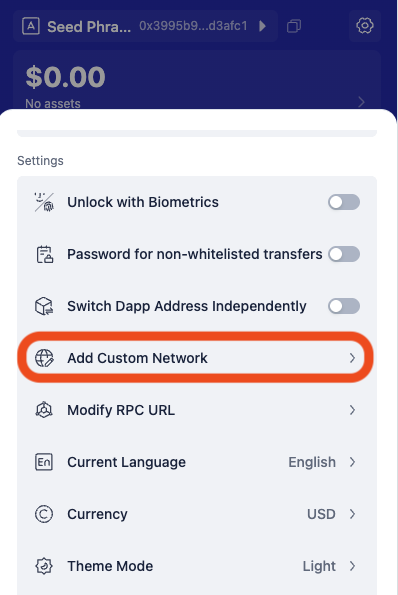
On the next screen, click Add Custom Network again.
Enter network details and confirm
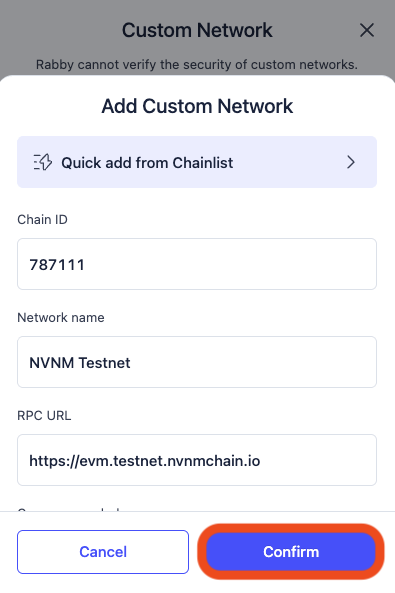
Fill in the following details, then click Confirm.
| Parameter | Value |
|---|---|
| Chain ID | 787111 |
| Network Name | NVNM Testnet |
| RPC URL | https://evm.testnet.nvnmchain.io |
| Currency Symbol | mantraUSD |
| Block Explorer URL | https://explorer.evm.testnet.nvnmchain.io |
Add NVNM Mainnet to Rabby
Open Settings
Click the settings gear icon in the top-right of the Rabby extension.
Add Custom Network
In Settings, click Add Custom Network.
On the next screen, click Add Custom Network again.
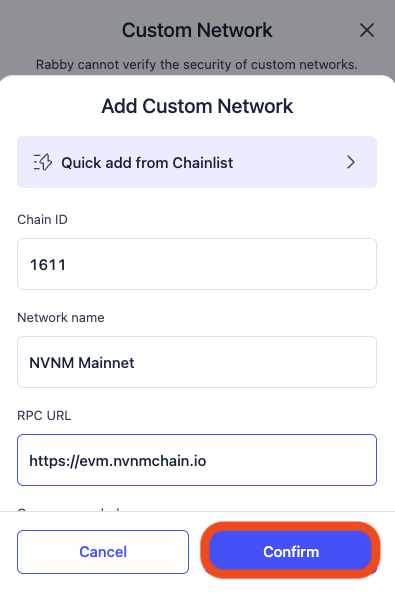
Enter network details and confirm
Fill in the following details, then click Confirm.
| Parameter | Value |
|---|---|
| Chain ID | 1611 |
| Network Name | NVNM Mainnet |
| RPC URL | https://evm.nvnmchain.io |
| Currency Symbol | mantraUSD |
| Block Explorer URL | https://evm.explorer.nvnmchain.io |